Technical Blog - JavaScript Fundamentals
JavaScript and its relationship to HTML and CSS:
HTML is like the blueprint of a house. It shows what goes where:the rooms, the kitchen, the bathroom—everything you need to create the basic structure.
In a website, HTML is what creates things like headings, images, buttons, or paragraphs .
CSS is like the paint and interior design of the house.
On a website, CSS controls the colors, fonts, layout, and how things like buttons or text appear on the screen.
JavaScript like the electric wiring the gadgets. It makes things move and work, like turning on lights when you enter a room.
For a website, JavaScript makes buttons clickable, forms send information.
Control Flow :
Control flow is like giving instructions to a person on how to do things step by step.
Let's use the example of watering plants.
Control flow is like deciding what to do based on what's happening with your plants:
1. Check if the plant needs water: If the soil is dry, you water the plant. If it's already wet, you skip watering.
2. Decide how much water to use: If the plant is big, you use more water. If it's small, you use less.
So, control flow helps you decide what actions to take based on the plant's needs.
This JavaScript code checks if a plant needs water and decides whether to water it or not.
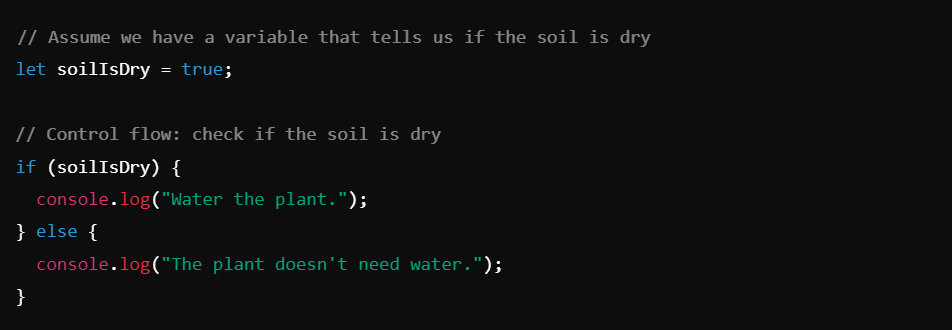
Since the Soil is dry, the program will tell you to water your plant
Loop:
Loops are like watering multiple plants one after another:
1. Pick the first plant: Water it.
2. Move to the next plant: Water it.
3. Continue: Keep watering each plant until you’ve watered all of them.
You repeat the same action (watering) for each plant until all are taken care of.
Array:
An array is like a list of items. Imagine you have a row of numbered boxes, and you can put one thing in each box. You can then find or use an item by looking at its spot in the list.
For example: You have a list of plants you need to water today, and you want to keep track of them in order.
Object:
An object is like a labelled box where you keep all the details about one thing.
For example: You want to keep track of detailed information about each plant, such as how much water it needs and whether it's blooming.
Functions:
A function is like a recipe. It’s a set of steps that you follow to do something.
For example: You want to create a simple process to water any plant. Instead of repeating the same instructions for each plant, you create a reusable process.
Why Functions:
Functions are like shortcuts or tools in programming. They let you.
1. Reuse Code: Write a set of instructions once and use it many times.
2. Keep Things Organized: Break tasks into smaller, manageable parts.
3. Update Easily: Change the instructions in one place, and it updates everywhere.
Now, let’s see how we implement these examples and scenarios in programming.
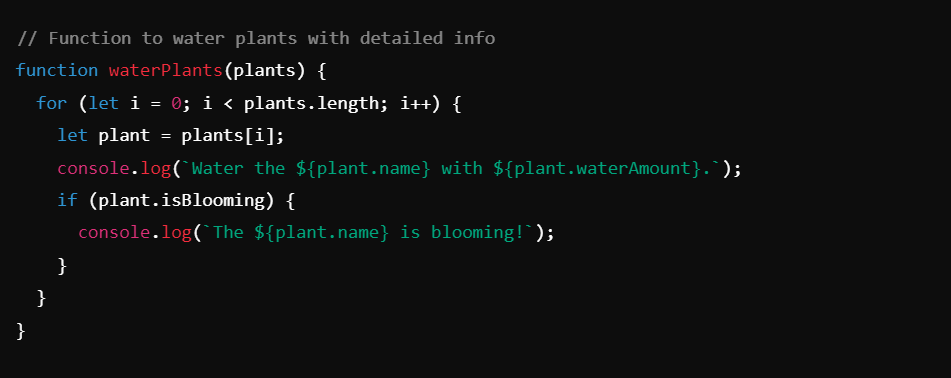
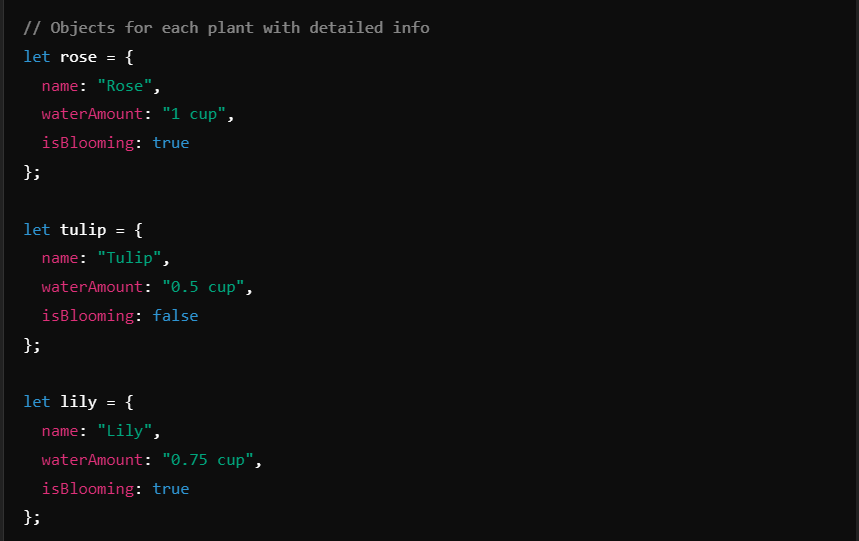
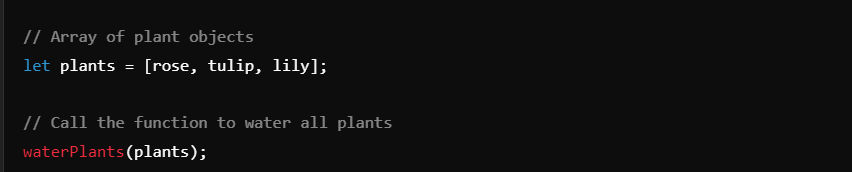
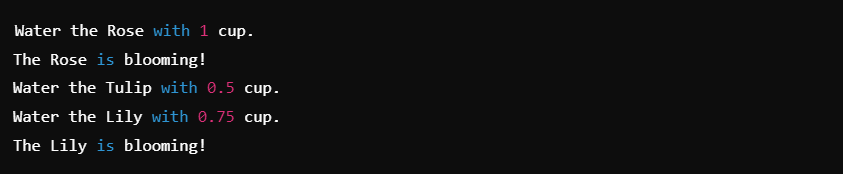
This Would Be the Result:
The DOM:
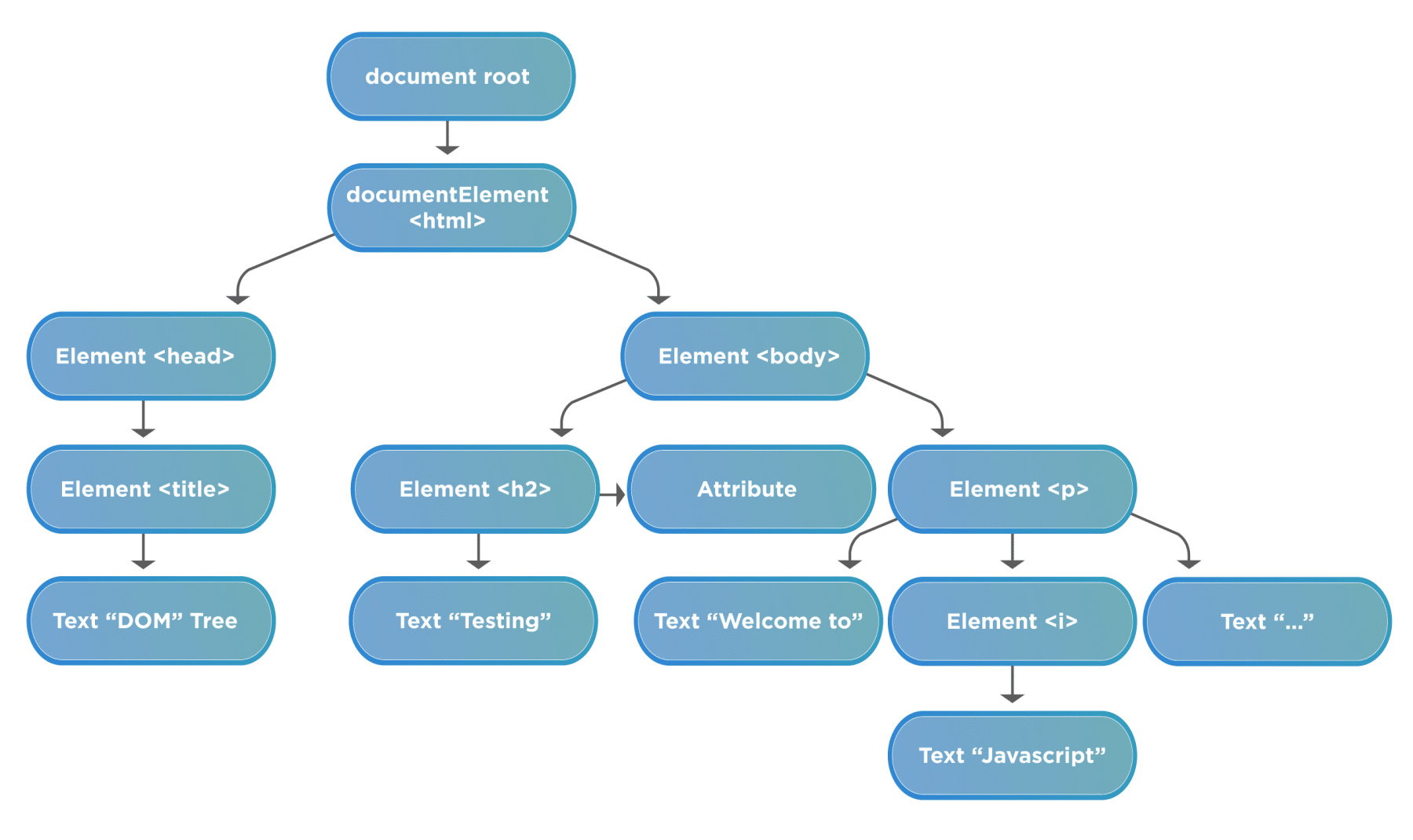
The DOM: A structured map of everything on your web page, showing how it’s organized.
Imagine you’re organizing a big family photo album. Each page of the album has photos, captions, and decorations.
Explanation::
The DOM (Document Object Model) is like the way you organize and label each part of the photo album. It keeps track of every photo, caption, and decoration and how they’re laid out on each page.
When you open the album, you can see all these details organized neatly, so you know what’s on each page and how everything is connected.
DevTools :
DevTools: Like the toolkit you use to make changes and fix things in your photo album, allowing you to inspect, edit, and debug.
Now, let’s say you want to make some changes to your photo album. Maybe you want to move a photo, update a caption, or fix a decoration.
Explanation::
DevTools is like having a special toolkit for editing your photo album. With these tools, you can:
1. Inspect: Look closely at each page and see details about the photos and captions (like examining each photo in the album).
2. Edit: Make changes to the album, such as moving photos or updating captions, and see how it looks immediately (like rearranging photos or fixing captions).
3. Debug: Fix any mistakes or problems, such as ensuring the right photo is on the right page (like correcting any errors or issues with the album).